Hotmail/Windows Live Security Issue

October 6th, 2009

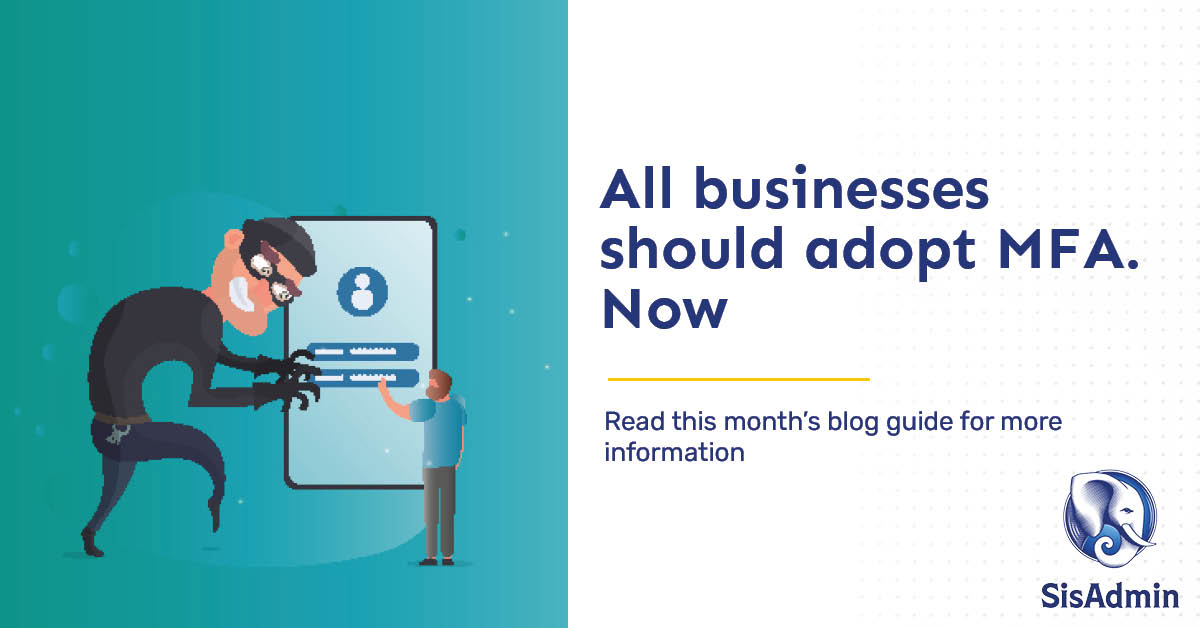
Now would be a good time to change your Hotmail or Windows Live password.   The account info for several thousand Hotmail accounts has been published on a third party site, possibly due to a phishing scheme.

We recommend you update your password today.  If you suspect your account has been accessed, go to the link above for further information about the issue; there’s also a link there to submit a request to reclaim your account.


Websites not working in Internet Explorer 8?

July 9th, 2009

Have you upgraded to Internet Explorer 8, and now you’re having trouble seeing websites you used to view just fine?   There’s a setting that can correct that for most sites:

  • In IE 8, click Tools on the toolbar at the top right of your screen.
  • Then choose Compatibility View Settings.
  • At the bottom of that window, there’s a check-box that says “Display all websites in Compatibility View”–check that box.
  • Click Close.

That will allow IE 8 to view websites as though it was the older version, which should resolve the problems you’ve been having.


IE security flaw

July 9th, 2009

Microsoft announced a security flaw in Internet Explorer for which they don’t have a patch yet.  This issue allows a hacker to access your computer with the same rights that you have, while you’re viewing videos in Internet Explorer.

Microsoft has a workaround in Knowledgebase article 972890.  However, you can also use an alternative browser such as Firefox or Chrome until Microsoft has the patch ready.   They’re working on the patch now, and should have it out soon.


Job opening

June 22nd, 2009

We’re looking for a Account/Field Team Manager–if you’re interested, the listing is here, at our web site.


A dusty PC can be a slow PC

June 22nd, 2009

A month or so ago, the CPU fan in my PC seemed to be going into overdrive every once in a while. This condition worsened over the course of the next few weeks, to the point that the fan was on much more than it was off. The cause? Dust.

The problem: The inside of your PC is somewhat aerodynamic–it depends on air flow to keep the heat-generating parts cool. The chip in your PC that does all the thinking gets as hot as a box in a forest fire, even when your PC is cooling itself normally. When your PC case vents get clogged with dust, restricting the air flow, the CPU starts slowing down to reduce over-heating.

The result is a computer that runs slower than it should, decreasing your working efficiency along with it.

This affects home computers more than office workstations. Office environments tend to be less dusty, due to things like low pile carpeting, frequent visits by the cleaning crew and a lack of furry friends.

If you are like me, you know you should clean out your PC on a regular basis. If you are also like me, you wait and wait, until your PC fan starts to sound like an airliner, and your programs slow to a crawl.

With luck, your PC will just slow down. However, overheating can cause wear and tear on the electronic parts as well as the fans themselves, leading to costly repair bills.

You may confuse the slowness due to overheating with unwanted programs and spyware and pay your local tech support  to come out and unnecessarily run spyware removal programs. You may be told you need more RAM. You may be told your hard drive is too full. You may be told you need a new PC.

When it may just need a good cleaning.

For office computers:

Ask your tech support people for help, or at least for permission, before opening up a work computer!  They can either schedule the work for you, or give you tips on how to do it safely.

For home computers:

If you feel comfortable with the insides of your computer, cleaning a PC is not a difficult task. It does require care, though.

Do not:

  • Use a household vacuum.
  • Use a compressor.
  • Touch the surfaces of the card inside with your hands, or with a static-y duster.

Do:

  • Buy canned air from your local office supply store, and use that to blow out the dust.
  • Use an anti-static cleaning brush to loosen compacted particles and clean fan blades.

If you don’t feel comfortable working inside your computer, call your neighborhood tech support company for a price.  Cleaning your computer is a pretty quick process, and shouldn’t cost much.  If you’re interested, ask if they can show you how–that may cost a little extra, but save you money over the long run.

If your computer is anywhere near as dusty as mine was, you will notice an immediate improvement once it’s clean-your fan will be quieter, and your computer will be faster.


Office versions

June 22nd, 2009

A lot of people are still using Office 2003, and having trouble working with customers and vendors who have upgraded to Office 2007.  Microsoft has an applet you can install that will allow you to work with those files seamlessly, which you can find here:

Microsoft Office Compatibility Pack

If your co-workers, or other people you share files with, are still using Office 2003, don’t forget to make sure your Office applications save as 2003 by default.

  • For Word, that’ll be under the Edit menu–choose Preferences, then the Save tab, and choose Word 2003 under the Default Format section.
  • For Excel, it’s the Tools menu, then choose Options, and the Save tab.

Why outsource your IT?

June 11th, 2009

Computers have become critical to most businesses these days.  However, planning your network, installing new systems, keeping your network running smoothly, researching new tech-as necessary as all of this is, it’s also a lot of work, requiring a lot of study and training.

If you do take on managing your IT yourself, you may find you’ve pulled your focus away from your business and its needs.  Even if you hire an in-house IT person, you will still have to manage that person, and provide full oversight for all projects.

Especially in times like these, your business needs your full attention.  As an alternative, a lot of companies are choosing to outsource their computer support, which gives them:

  • Access to the experience and skill ranges of  a full team, without the expense and commitment of hiring several people:
    • Your assigned engineer, to manage and maintain your network, and your on-site needs
    • Helpdesk staff, to quickly address your employees’ desktop computer issues
    • Web and database programmers, to create the web sites and systems you need to support your business
    • Purchasing and research assistants, to find and price the right products for your  needs
  • Cost savings:
    • Benefits and training for IT staff are covered by your provider, not you
    • Your IT support costs can flex, increasing to cover projects, and then decreasing again to maintenance levels when the projects are done
  • Time savings:
    • IT staff are managed by your provider
    • Project management, research, planning for your IT systems are all done by your provider

What it all comes down to is that outsourcing your IT to a provider you trust allows you to focus on what you do best: managing your business.